Franchise Operations Software: A Buyer's Guide (2026)
The best franchise operations software is the one your locations actually use every shift. Look for one connected workspace for manuals, updates, checklists, onboarding and follow-up, with role and location targeting, proof-based verification (OK / Not OK, photos, values) and a network view for HQ and area managers. Judge it on adoption and verification, not on the length of the feature list.
Why "best software" is the wrong first question
Most franchisors start their search with a feature comparison. That is understandable, and it is also why so many rollouts disappoint. Nearly every vendor can show manuals, checklists, a news feed and a dashboard in a demo. The difference only shows up three months later, when you can see whether a shift manager in location 37 still opens the app on a busy Saturday.
So reframe the question. You are not buying features. You are buying a way to make the brand's operating model happen the same way in every unit, without an area manager standing next to each team. Software is the delivery mechanism for that model. If it is not used, or if it records activity without proving execution, it has failed regardless of how good the demo looked.
This guide gives you a practical way to evaluate options: the main tool types and when each fits, eight criteria that predict success, the questions to ask in a demo, and a rollout plan that protects adoption.
The four tool types you will meet
Franchise networks usually end up comparing four categories. They overlap, but they are built for different jobs.
| Tool type | Built for | Works well when | Breaks down when |
|---|---|---|---|
| Company intranet (for example SharePoint) | Publishing documents and news to employees | One employer, office staff, low need for frontline execution | Independent franchisees, mobile shift workers, need for proof of execution |
| LMS (learning platform) | Courses, certificates and training records | Formal training and compliance courses | Training has to connect to daily routines and live procedures |
| Checklist app | Recording that tasks were done | One site or a few units with simple routines | Many locations, linked SOPs, deviations and follow-up across units |
| Operations platform / workspace | Standards, communication, training, routines and verification in one flow | Multi-unit networks that need consistency without micromanagement | You only need one narrow function and have no plan to connect it |
None of these is wrong. The mistake is buying one category and expecting it to do the job of another. A checklist app will not fix a manual nobody can find. An LMS will not tell you whether the walk-in cooler was checked this morning. If you want the longer argument for why a franchise network differs from a normal company, read What is a franchise intranet.
Eight criteria that predict success
Use these eight criteria to score every option. Weight them to your network, but do not skip any.
1. Frontline adoption
Can a new team member on a phone find the right procedure in under a minute, in their own language? Ask to see the mobile app, not the admin view. Count the taps to the most common tasks. If adoption fails, nothing else matters.
2. Verification, not just completion
A ticked box tells you someone pressed a button. Look for OK / Not OK answers, required values (temperatures, counts, times), photo evidence and comments on critical points, with clear rules for what happens next. How to know if daily routines are actually completed goes deeper on this.
3. Role and location targeting
Franchise networks have owners, multi-unit operators, area managers, store managers and shift teams. Each needs different information. The system should target content and tasks by role, location, region and brand, so people only see what is relevant to them.
4. Connected content
Can a checklist item link directly to the procedure that explains it? Can an update to the manual trigger a read confirmation and, where needed, a new routine? Connection is what turns information into behaviour.
5. Deviation handling and follow-up
When something is Not OK, who gets notified, who owns the fix and how is closure tracked? Without this loop, managers go back to chasing by phone and chat.
6. Network visibility
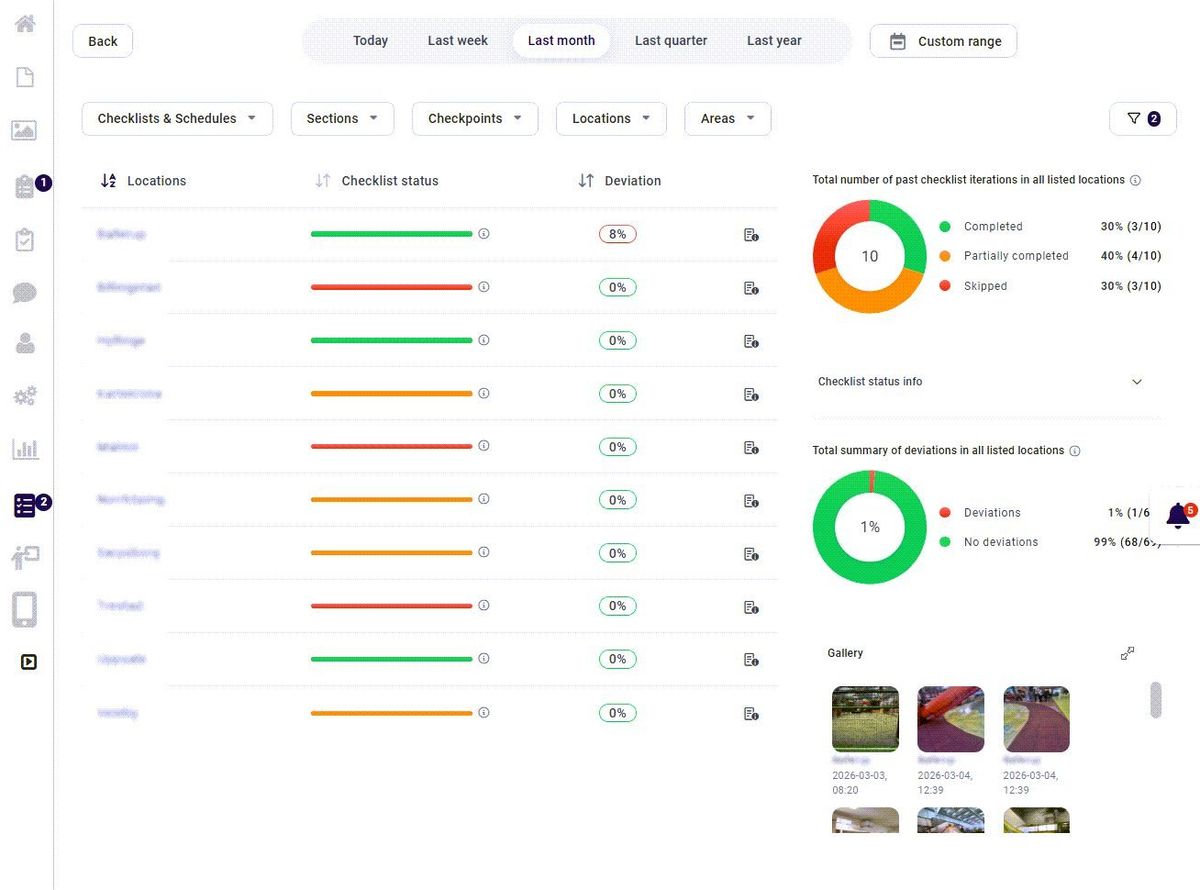
HQ and area managers need a view across units: which locations are on track, where deviations repeat, which routines are skipped. Ask to see a dashboard with realistic data across many locations, and ask what action each number leads to.
7. Rollout speed and ownership
How much can your own team set up without the vendor or IT? Look at templates, copying routines across locations, bulk user handling and how a new location is onboarded. The best tool is one your operations team can own.
8. Commercial fit for the network
Check how pricing scales with locations and users, how franchisees are charged, and what happens when you add a brand or a country. Confirm data ownership and export so you are never locked in.
Want to score your current setup against these eight criteria? Book a short intro and we will walk through your network, your routines and where the gaps are, with no obligation.
Questions to ask in every demo
Demos are scripted to look good. Take control with questions that expose how the system behaves in real operations:
- Show me how a shift worker finds the closing procedure on a phone, starting from the home screen.
- Show me a checklist where one point is Not OK. What happens next, and who sees it?
- How do I send an update only to store managers in one region, and see who has read it?
- How do I change a procedure and make sure every location works from the new version tomorrow?
- How is a new location set up, from users to routines, and how long does it take?
- What does an area manager see on Monday morning across 20 locations?
- How do franchisees add local content without breaking brand standards?
- Which languages are supported for both content and the interface?
- How do we export our data if we leave?
- Can I talk to an operations manager at a comparable network?
Score the answers on what you saw, not what was promised.
How to run a fair pilot
A pilot should prove adoption and execution, not just that the software works. Keep it short and specific:
- Pick three to five locations, including one that struggles. A pilot that only uses your best unit proves nothing.
- Choose two or three critical routines (for example opening, closing and a food-safety or safety check) and digitise only those first.
- Link each routine to the procedure it depends on.
- Agree on four measures before you start: weekly active users, on-time completion, share of points verified with evidence, and time to close deviations.
- Run it for six to eight weeks and review weekly with the location managers.
If adoption is weak after two weeks, find out why before you blame the people. Usually the routine is too long, the instructions are unclear, or the app adds steps instead of removing them.
Common mistakes when buying
- Buying for HQ instead of the floor. The admin experience matters, but the frontline decides whether the system lives.
- Digitising a bad manual. Moving a 200-page PDF into an app does not make it usable. Rewrite the critical procedures into short, task-based steps first.
- Too many apps. Every extra login is a reason not to use it. Count how many places a store manager has to look today.
- No owner. Someone in operations needs to own content, routines and follow-up after go-live.
- Measuring logins instead of execution. Usage is a leading indicator. Verified routines and closed deviations are the result.
How to measure success after go-live
| Metric | Definition | A sensible starting target |
|---|---|---|
| Weekly active users | Share of expected users who opened the app in the week | Set per role; aim for nearly all shift leads |
| On-time completion | Critical routines completed by their deadline ÷ scheduled | Agree a target per routine and track the trend |
| Verified share | Critical points answered with value, photo or OK / Not OK ÷ total | Rising month on month |
| Deviation closure time | Median time from Not OK to closed | Falling month on month |
| Read confirmation | Mandatory updates confirmed within the deadline ÷ recipients | High for critical updates |
The targets are deliberately framed as trends. Your baseline is unique to your network, so measure it in the pilot and improve from there.
How Chainformation fits
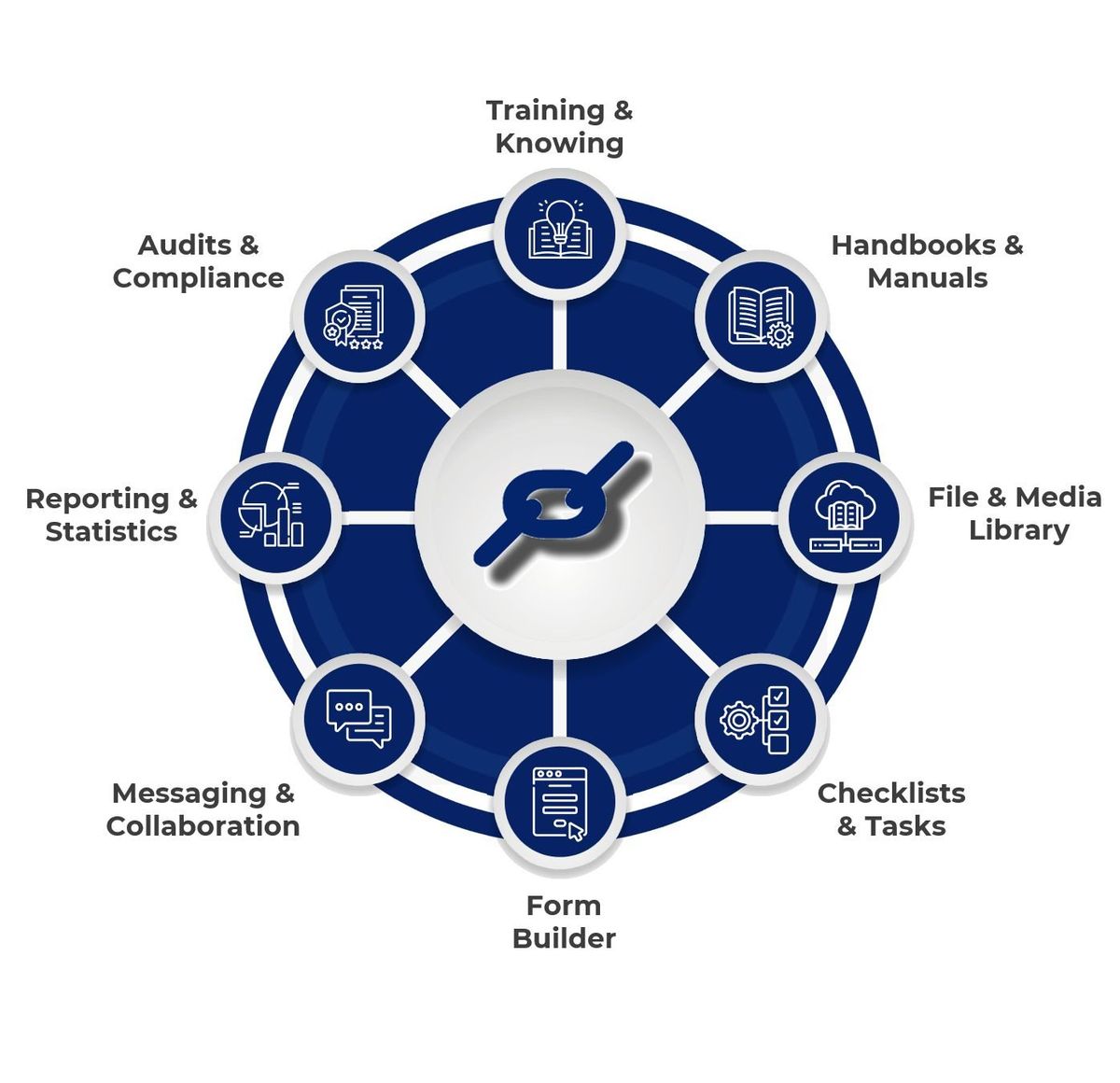
Chainformation is built as one operations workspace for chains and franchise networks. Manuals and handbooks, targeted news and updates with read confirmation, checklists with OK / Not OK, photos and values, onboarding with quizzes, forms, messaging and reporting share the same users, roles and locations. That means a checklist point can link to the procedure behind it, a Not OK can create a follow-up, and HQ can see the network without asking every location for a status report.
It is not the right choice for everyone. If you run one or two locations with simple routines, a basic checklist app may be enough. If you need consistency across many units, with independent franchisees and mobile teams, it is worth a look. See the franchise platform, how it works and customer stories.
Ready to see it with your own routines? Book a 15-minute intro. Bring one procedure and one checklist, and we will show you how they would work across your locations.
FAQ
What is franchise operations software?
Franchise operations software is the system a franchisor uses to turn the brand's operating model into daily execution in every unit. It typically combines digital manuals, targeted updates, checklists and tasks, onboarding and training, deviation handling and reporting across locations.
How is franchise operations software different from franchise management software?
Franchise management software often focuses on the business side: franchise development, royalties, contracts and financial reporting. Franchise operations software focuses on what happens on the floor: standards, routines, training, verification and follow-up. Many networks need both, and they should not be confused during a purchase.
How long does it take to roll out franchise operations software?
It depends mostly on how ready your content is, not on the software. A network with current manuals and clear routines can pilot in a few locations within weeks and then roll out in waves. If the manual is outdated, plan time to rewrite the most critical procedures first.
Can franchisees keep some local control?
Yes, and they should. A good platform lets HQ own the brand standards while franchisees and local managers add local information, assign tasks to their own teams and see their own results, within permissions set by role and location.
What should we measure after go-live?
Track weekly active users per location, on-time completion of critical routines, the share of routines verified with evidence, open deviations and time to close them, and read confirmation on mandatory updates. These show adoption and execution, which is what the software is for.
Do we need a separate intranet, LMS and checklist app?
Not necessarily. Separate tools can work, but every extra app adds a login, a place to look and a gap between knowing and doing. Many multi-location networks are better served by one operations workspace where manuals, training and routines are connected.
Canonical: /resources/guides/franchise-operations-software-platform