How to Know If Daily Routines Are Actually Completed
You know a daily routine was actually completed when the critical points carry evidence, not just a tick: an OK / Not OK answer, a measured value such as a temperature, or a photo of the result, recorded by a named person at the right time. Add a defined follow-up for every Not OK and a daily view per location, and managers can see completion and quality without being on site.
A tick is not proof
Almost every chain has daily routines: opening, closing, cleaning, temperatures, safety rounds. And almost every operations manager has had the same experience. The checklist says everything was done. Then a store visit, a guest complaint or an inspection shows that it was not.
The problem is not that people lie. It is that a tick can mean many things: done properly, done partly, done quickly, meant to be done later or simply not checked. When the only evidence is a mark on paper or a tapped box, head office has completion data but no confidence. This guide explains the difference between completion and verification, what counts as proof for different tasks and how to see it across many locations.
Completion vs verification
| Completion | Verification | |
|---|---|---|
| What it records | That someone marked the task done | What the result was, by whom and when |
| Typical evidence | A tick or signature | OK / Not OK, a value, a photo, a comment |
| What a manager learns | The list was handled | The standard was met, or exactly how it was not |
| What happens on failure | Nothing, unless someone notices | A defined follow-up with an owner |
| Value across locations | Hard to compare | Comparable and trendable |
Completion tells you the routine happened. Verification tells you whether the standard was met.
What counts as proof, by task type
Not every point needs the same evidence. Match the proof to the risk and the type of task:
| Task type | Example | Best evidence | Why |
|---|---|---|---|
| Measurement | Fridge and freezer temperatures | Value (for example 3.5°C) | A number can be checked against a limit |
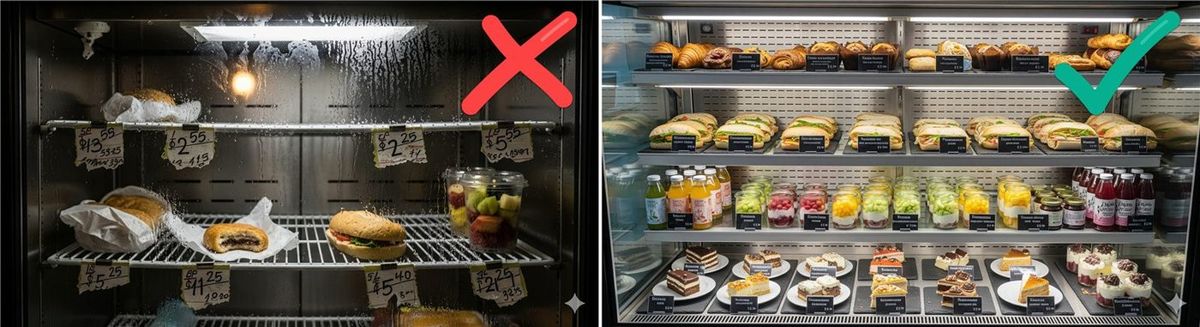
| Visual standard | Display, shelf, dining room set-up | Photo | Shows the result, not an opinion |
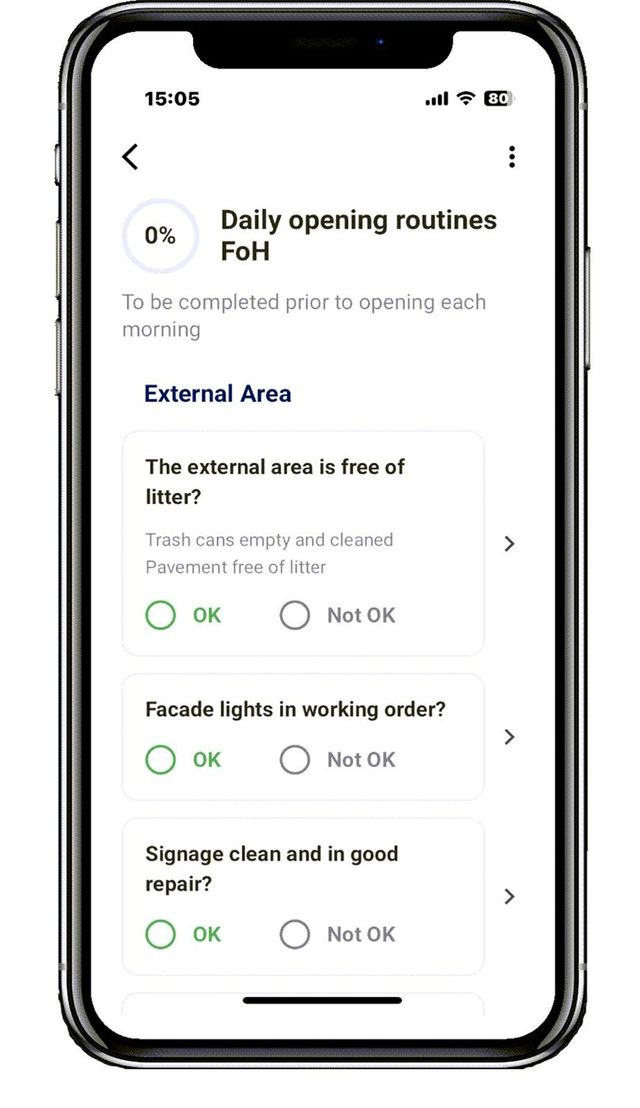
| Simple control | Exits clear, handwash station stocked | OK / Not OK | Fast, and Not OK can trigger action |
| Cleaning | Restroom, fryer station, back area | Photo on critical points, OK / Not OK on the rest | Balances proof with speed |
| Safety | Fire extinguisher, first aid kit | OK / Not OK plus date check | Simple and auditable |
| Handover | End of shift notes | Comment | Context the next shift needs |
Five rules for routines that can be trusted
- Keep them short. Ten to fifteen critical points beat sixty points that get ticked. Move the rest to weekly routines.
- Ask for evidence where it matters. Values for measurements, photos for visual standards, OK / Not OK for controls.
- Show how. Link each point to a short procedure with a photo of the correct result, so "clean" means the same thing everywhere.
- Make it personal and timed. Each routine is completed by a named person within a time window. No shared logins.
- Define what happens on Not OK. Fix it now, or notify the right role and create a follow-up with a deadline.
What happens when something is Not OK
A Not OK is the most valuable answer a checklist can give, as long as it leads somewhere. A practical deviation flow looks like this:
- The employee answers Not OK and adds a comment or photo.
- If they can fix it immediately, they do and note it.
- If not, the responsible role (store manager, maintenance, area manager) is notified.
- The deviation becomes a task with an owner and a deadline.
- The task is closed with a comment or photo showing the fix.
- Repeated deviations of the same type are reviewed weekly.
Never punish honest Not OK answers. If reporting a problem leads to trouble, people stop reporting, and you are back to ticks.
Want to see what verified routines look like across your locations? Book a short intro and we will show a daily view with completion, evidence and deviations per location.
Seeing it across many locations
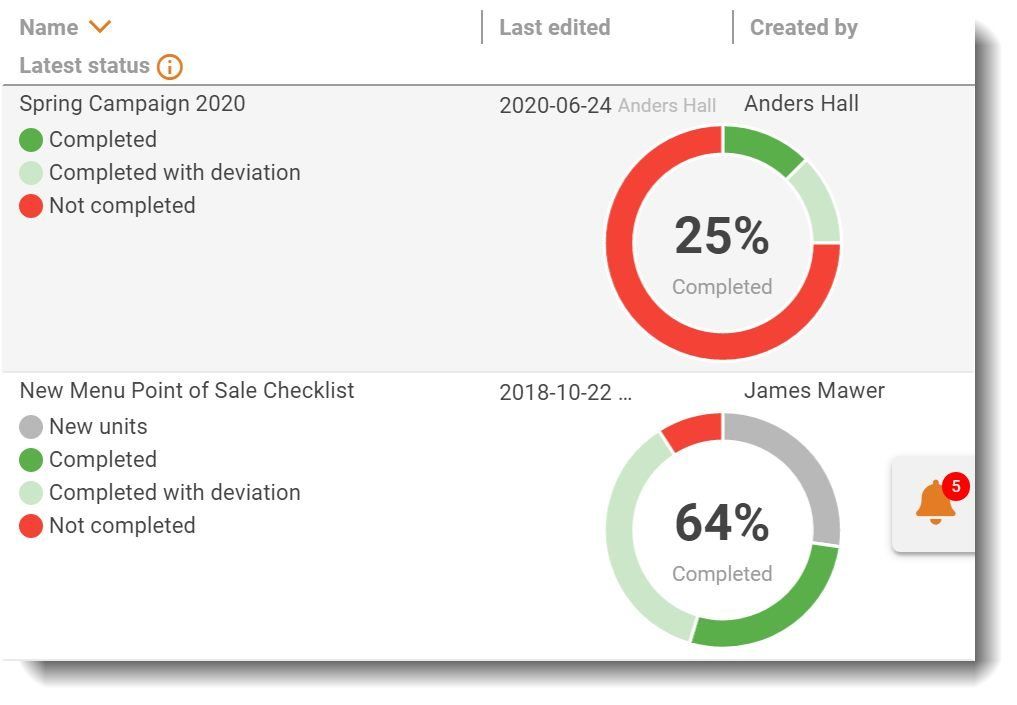
For a multi-location manager, the question is not only "was it done here?" but "where do I need to act today?". A useful daily view shows:
- Which locations have not completed critical routines on time
- Which routines were completed without the required evidence
- Open deviations and how long they have been open
- Locations where the same Not OK keeps coming back
- Trends per location over weeks, not just today
A sample opening and closing routine for multiple locations
Use the same template in every location so results can be compared. This example is generic; adapt the points to your concept and keep it short.
Opening (complete before doors open)
- ☐ Entrance, windows and outside area clean (photo)
- ☐ Lights, signage and music on (OK / Not OK)
- ☐ Fridge and freezer temperatures (values)
- ☐ Displays or shelves set up to standard (photo)
- ☐ Restrooms clean and stocked (OK / Not OK)
- ☐ Tills, card terminals and ordering systems working (OK / Not OK)
- ☐ Today's priorities shared with the team (OK)
Closing (complete before the last person leaves)
- ☐ Products stored, labelled and dated, waste recorded (OK / Not OK)
- ☐ Fridge and freezer temperatures (values)
- ☐ Cleaning of critical areas done (photo)
- ☐ Equipment switched off per procedure (OK / Not OK)
- ☐ Cash handled per procedure (OK)
- ☐ Issues for tomorrow noted (comment)
- ☐ Alarm set and doors locked (OK)
Set a time window for each routine. An opening checklist completed after doors open should show up as late, not as done.
Why this matters beyond the checklist
Verified routines do more than catch problems. They give store managers proof of a good job, make handovers between shifts clearer and give area managers a reason to visit where help is needed instead of everywhere on rotation. Over time, the data shows which standards are hard to follow, which is input for improving them. That is how daily routines become a tool for the whole network rather than a chore for the floor.
Common mistakes
- Shared logins. You lose who did what, and accountability with it.
- Same evidence for everything. Requiring photos on every point makes routines slow and annoying. Be selective.
- Nobody looks at the results. If routines are never reviewed, teams learn they do not matter.
- Deviations without owners. A red mark in a report is not a fix.
- Two systems. If some locations use paper and some use the app, you cannot compare.
Metrics to track
| Metric | Definition |
|---|---|
| On-time completion | Critical routines completed within the time window ÷ scheduled |
| Evidenced share | Critical points answered with value, photo or OK / Not OK ÷ total critical points |
| Deviation rate | Not OK answers ÷ total answers, per routine and location |
| Closure time | Median time from Not OK to closed |
| Repeat deviations | Same deviation in the same location three or more times in four weeks |
A low deviation rate is not automatically good. Zero Not OK answers for months often means nobody is really checking.
How Chainformation helps
Chainformation runs daily routines as scheduled checklists on staff phones, with OK / Not OK, values, photos and comments on each point, and personal, time-stamped answers. Each point can link to the procedure in the digital manual. A Not OK can notify the right role and become a task with a deadline, and managers see completion, deviations and evidence per location. See checklists and tasks, audits and inspections and restaurant checklist templates. For the bigger picture, read how to reduce operational drift.
Replace the ticked box with real proof. Book a 15-minute intro and we will turn one of your current checklists into a verified routine during the call.
FAQ
How do I know if locations are doing their daily tasks?
Schedule the daily routines in a digital system, require evidence on the critical points (values, photos or OK / Not OK), and look at a daily view of completion and deviations per location. Late, missing or evidence-free routines show you where to follow up.
Why can't managers see who completed daily checklists?
Paper lists and shared logins hide who did what and when. Use personal logins, time-stamped answers and a manager view across locations, so each routine shows who completed it, when and with what result.
Does every checklist point need a photo?
No. Photos are best for visual standards such as displays, cleanliness and set-up. Values work for measurements, and OK / Not OK for simple controls. Use evidence where the risk or brand impact is high, and keep the rest simple.
What should happen when a checklist point is Not OK?
The person should describe the problem, fix it if they can and, if not, the right role should be notified automatically. The deviation becomes a task with an owner and a deadline and is closed with a comment or photo.
How do we stop staff from ticking boxes without doing the work?
Shorten the checklist to what matters, ask for values and photos on critical points, show the procedure behind each point, review results with the team, and never punish honest Not OK answers. Ticking happens when checklists are long and nobody looks at them.
Canonical: /resources/guides/how-to-know-if-daily-routines-are-completed