QSR Daily Operations: Shift Checklist & Best Practices
Strong QSR daily operations run on a fixed shift rhythm: a verified opening, a pre-peak readiness check, a calm peak with clear roles, and a closing that sets up tomorrow. Each phase has a short checklist with OK / Not OK answers, measured food-safety values and a defined follow-up when something fails, so every location delivers the same experience on every shift.
Why daily operations decide the brand
In quick service, the brand is not the logo. It is the order that is right, hot and fast at 12:15 on a Friday, in every location. That experience is decided by dozens of small routines that happen before and during each shift: whether the fryer oil was checked, whether the cold well was at temperature, whether prep levels matched the forecast.
When those routines slip, the effect is rarely dramatic at first. Service gets a little slower, a product a little less consistent, a restroom a little less clean. Then reviews start to mention it. This guide gives you a practical shift rhythm, a sample checklist, food-safety control points and the metrics to manage it across many locations.
The four phases of a QSR shift
Think of each day as four phases. Each has its own purpose, owner and short checklist.
| Phase | When (example) | Purpose | Owner |
|---|---|---|---|
| Opening | 60 to 90 minutes before doors open | Safe, clean, stocked and ready to serve | Opening manager |
| Pre-peak | 30 to 45 minutes before lunch and dinner | Positioned for volume: prep, staffing, holding | Shift lead |
| Peak | During the rush | Speed, accuracy and quality under pressure | Shift lead plus station owners |
| Closing | Last hour and after close | Clean, safe and set up for tomorrow | Closing manager |
Adjust the timings to your concept and opening hours. The point is that every location runs the same phases with the same control points.
Opening: start the day verified
The opening routine is where most consistency is won or lost. A rushed opening creates problems that last all day. Keep it to what matters and make critical points measurable:
- Building and safety: alarms off, exits clear, no leaks or damage
- Equipment start-up: fryers, grills, ovens, ice machine and dishwasher running
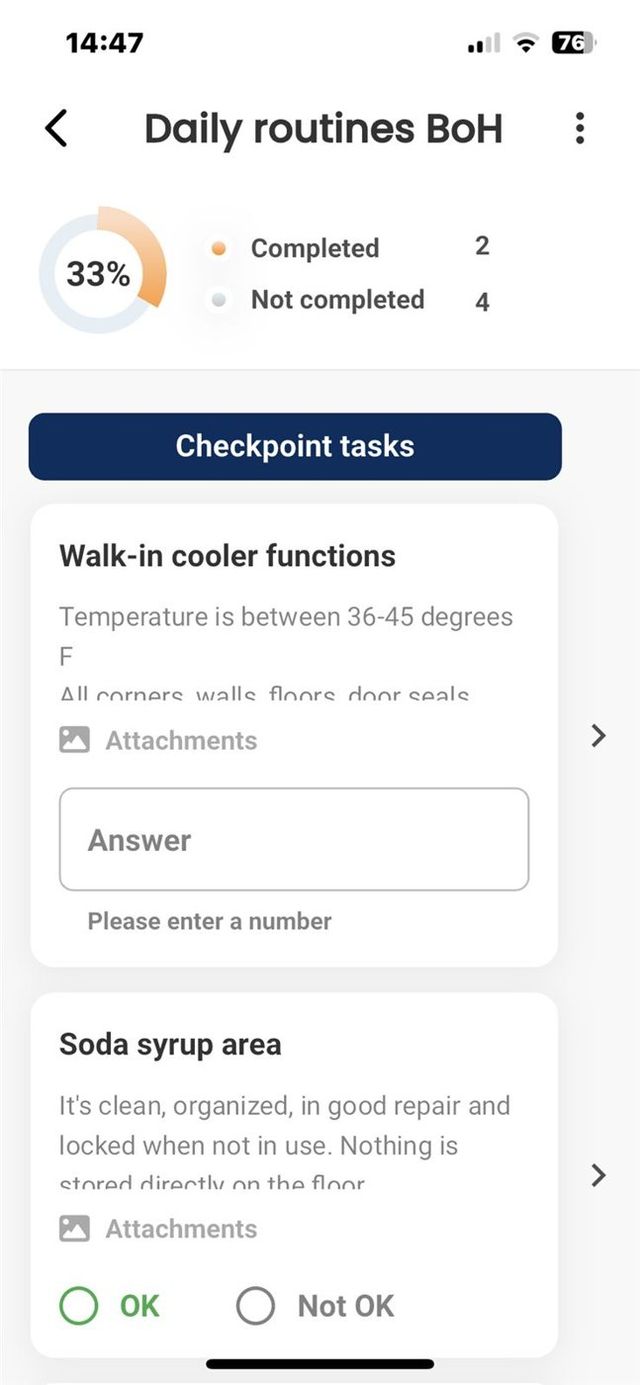
- Temperatures: walk-in, reach-ins, freezers and hot holding logged as values
- Prep: levels checked against the day's forecast
- Guest areas: dining room, condiments, restrooms and entrance clean
- Systems: POS, kiosks, delivery tablets and drive-thru headsets working
- Team: rota confirmed, stations assigned, short briefing on today's priorities
Pre-peak: position for volume
The 30 to 45 minutes before a peak decide how the peak feels. The pre-peak check is short and focused:
- Prep and par levels topped up for the expected volume
- Hot and cold holding checked and logged
- Stations stocked: packaging, sauces, cups, lids
- Staff positioned, breaks planned around the rush
- Drive-thru and delivery handover areas clear
- Any equipment issue from opening resolved or escalated
Peak: protect speed and accuracy
During the rush, nobody should be reading a manual. The work here happens before the peak: clear station roles, simple visual standards at each station and one person watching the flow. Agree in advance what the shift lead does when service time drifts: open another register, move a person to assembly, pause a delivery channel.
Keep one or two in-peak checks only, for example a holding temperature check, and make them quick to record on a phone.
Closing: set up tomorrow
A good close makes the next opening easy. Typical points:
- Food stored, labelled and dated; waste recorded
- Cooling of cooked food logged at each stage
- Equipment cleaned and switched off according to procedure
- Floors, drains, restrooms and bins done
- Cash and safe procedures completed
- Issues for tomorrow written down, not remembered
Want these routines running the same way in every location? Book a short intro and we will show how QSR chains build opening, pre-peak and closing routines with evidence and follow-up.
Food-safety control points with example limits
Your HACCP plan and local authority set the actual limits, and they differ by country. As a reference, the US FDA Food Code sets cold holding of time and temperature controlled food at 41°F (5°C) or below and hot holding at 135°F (57°C) or above, and requires cooked food to cool from 135°F to 70°F (57°C to 21°C) within two hours and to 41°F (5°C) or below within the next four (FDA guidance on cooling). Nordic operators should follow Livsmedelsverket in Sweden or Mattilsynet in Norway and their own HACCP plan.
| Control point | What to record | When | If Not OK |
|---|---|---|---|
| Cold holding (walk-in, reach-ins) | Temperature value | Opening, pre-peak, closing | Move product, call service, assess food per procedure |
| Hot holding | Temperature value | Pre-peak and during service | Reheat or discard per procedure |
| Cooling of cooked food | Time and temperature at each stage | Each batch | Discard if limits are missed |
| Fryer oil | Quality check or test result | Opening and as defined | Filter or change oil |
| Allergen separation | OK / Not OK with photo | Opening | Correct and inform shift lead |
| Handwashing stations | OK / Not OK | Opening and pre-peak | Restock immediately |
The column that matters most is the last one. A control point without a defined reaction is only a record.
Sample opening checklist
Use this as a starting point and cut it to fit your concept. Shorter is better, as long as the critical points are there.
- ☐ Exits clear, alarm off, no visible damage or leaks (OK / Not OK)
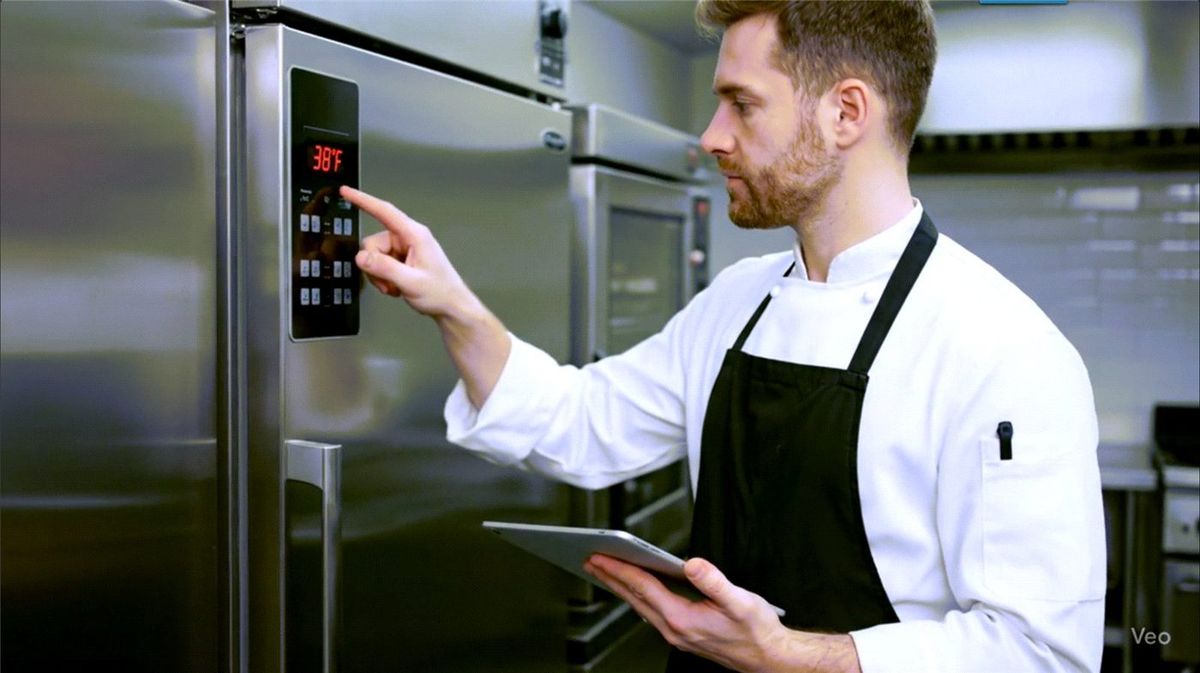
- ☐ Walk-in temperature (value)
- ☐ Reach-in and freezer temperatures (values)
- ☐ Hot holding at temperature before service (value)
- ☐ Fryer oil checked (OK / Not OK)
- ☐ Prep levels match forecast (OK / Not OK, comment if not)
- ☐ Allergen area separated and labelled (photo)
- ☐ Dining room, condiment station and restrooms clean (photo)
- ☐ POS, kiosks and delivery tablets online (OK / Not OK)
- ☐ Team briefed, stations assigned (OK)
Each Not OK should create a follow-up with an owner, not just a red mark in a report.
Common mistakes
- Checklists that are too long. A 60-point opening list gets ticked, not done. Keep the critical points and move the rest to weekly routines.
- Ticks instead of values. "Fridge OK" is an opinion. "3.5°C" is a fact.
- No link to the procedure. "Clean the fryer station" means different things to different people. Link the point to a short instruction with photos.
- Paper that nobody reviews. If the log is only read when the inspector comes, it does not change anything.
- Different templates in every location. You cannot compare or coach on routines that are not the same.
Metrics that matter, defined
| Metric | Definition | How to use it |
|---|---|---|
| Critical routine on-time rate | Critical routines completed before deadline ÷ scheduled | Spot locations that start the day behind |
| Verified share | Critical points answered with a value, photo or OK / Not OK ÷ total critical points | Separates real checks from ticking |
| Repeated deviations | Same Not OK in the same location three or more times in four weeks | Coaching or equipment priority |
| Deviation closure time | Median hours from Not OK to closed | Shows whether follow-up works |
| Peak speed of service | Average order time in the main peak | Links routines to guest experience |
Set targets from your own baseline. Track the trend per location and talk about patterns, not single misses.
How Chainformation supports QSR operations
In Chainformation, opening, pre-peak and closing routines run as scheduled checklists on the team's phones, with values, photos and OK / Not OK answers on critical points. Each point can link to the procedure in the digital manual. A Not OK can notify the right role and create a follow-up, and area managers see completion and deviations across all their locations in one view. Templates are shared, so a new location starts with the same routines on day one.
Explore restaurant checklist software, ready restaurant checklist templates and the restaurant industry page. For the bigger picture across units, read how to improve consistency across multiple locations.
See your own opening routine in the app. Book a 15-minute intro. Send us your current opening checklist and we will show it running with values, photos and follow-up.
FAQ
What should a QSR opening checklist include?
Safety and building checks, equipment start-up and temperatures, cold and hot holding checks, prep levels against the forecast, cleanliness of guest areas and restrooms, POS and ordering channels working, and a short team briefing. Critical points should require a value or an OK / Not OK answer, not just a tick.
How often should temperatures be checked in a quick service restaurant?
Follow your local food-safety authority and your HACCP plan. Most operators check cold and hot holding at opening, before peaks and at defined intervals during service, and log cooling of cooked food at each stage. The US FDA Food Code, for example, sets cold holding at 41°F (5°C) or below and hot holding at 135°F (57°C) or above.
What is the difference between a checklist and a shift routine?
A checklist is a list of control points. A shift routine is the checklist plus timing, an owner, the procedure behind each point and what happens when something is not OK. Routines are what make execution consistent across shifts and locations.
Which metrics matter most for QSR daily operations?
On-time completion of critical routines, the share of control points verified with a value or photo, repeated deviations per location, time to close deviations, and speed of service during peaks. Define each one and track the trend per location.
How do multi-unit QSR operators keep shifts consistent across locations?
Use the same routine templates in every location, link each control point to a short procedure, require evidence for critical points, and review deviations weekly with each store manager. Area managers then coach on patterns instead of chasing individual tasks.
Canonical: /resources/guides/qsr-daily-operations-best-practices