Compliance Software for Multi-Location Operations
Compliance software for multi-location operations should make compliance continuous rather than periodic: current standards and mandatory updates with read confirmation, recurring routines and audits with evidence, deviations routed to an owner and tracked to closure, and a view across all locations. Audits still matter, but daily and weekly verification is what keeps every unit compliant between them.
Compliance is decided on ordinary days
In a multi-location business, compliance is easy to describe and hard to deliver. The rules are written down, the manual exists, the audit schedule is set. Yet compliance still varies between locations, and head office often finds out through an inspection, an incident or a complaint.
The reason is timing. Audits look at a location a few times a year. Compliance is decided on every ordinary shift, by whether the temperature was checked, the fire exit kept clear, the age check done or the new procedure actually applied. Software that only supports audits measures the problem. Software that supports daily work helps solve it.
What compliance means across many locations
Most chains manage two kinds of compliance at the same time:
- Legal and safety compliance. Food safety, fire safety, health and safety, hygiene, age-restricted sales and other requirements set by authorities.
- Brand standards compliance. The concept: service steps, visual standards, product quality, campaign execution and guest experience, often defined in franchise agreements.
Both depend on the same chain of events: the right people know the current standard, carry it out in a routine, record evidence, and someone follows up when it fails.
From periodic audits to continuous compliance
| Audit-only model | Continuous compliance model | |
|---|---|---|
| Frequency | A few times a year | Every shift, day and week |
| Who checks | Auditor or area manager | Location team, with audits on top |
| What HQ sees | A score per visit | Completion, evidence and deviations over time |
| When problems are found | Weeks or months later | The same day |
| Follow-up | Action plan after the visit | Deviation routed to an owner immediately |
| Effect on behaviour | Preparation before visits | Compliance as part of normal work |
Audits remain valuable for an independent view and for areas that need an expert eye. The point is that they should confirm compliance, not be the only time anyone checks it. Read more about early signals in how to reduce operational drift.
What compliance software should do
Keep standards current and confirmed
Procedures must be easy to find on a phone and exist in one current version. When a requirement changes, the update goes to the affected roles with a mandatory read confirmation, so you can see who has, and has not, taken it in.
Turn requirements into routines
Each requirement that matters becomes a point in a recurring routine with a clear owner and time window: daily temperatures, weekly fire safety rounds, monthly equipment checks.
Capture evidence
Values for measurements, photos for visual standards, OK / Not OK for simple controls and signatures where required. Every answer should be personal and time-stamped.
Handle deviations
A Not OK should notify the right role, become a corrective action with a deadline and be closed with proof. Repeated deviations should be easy to spot.
Support audits and inspections
Store visits and formal audits should use the same system, with scoring, photos and action plans, so audit findings and daily routines can be seen together. See audits and inspections.
Show the network
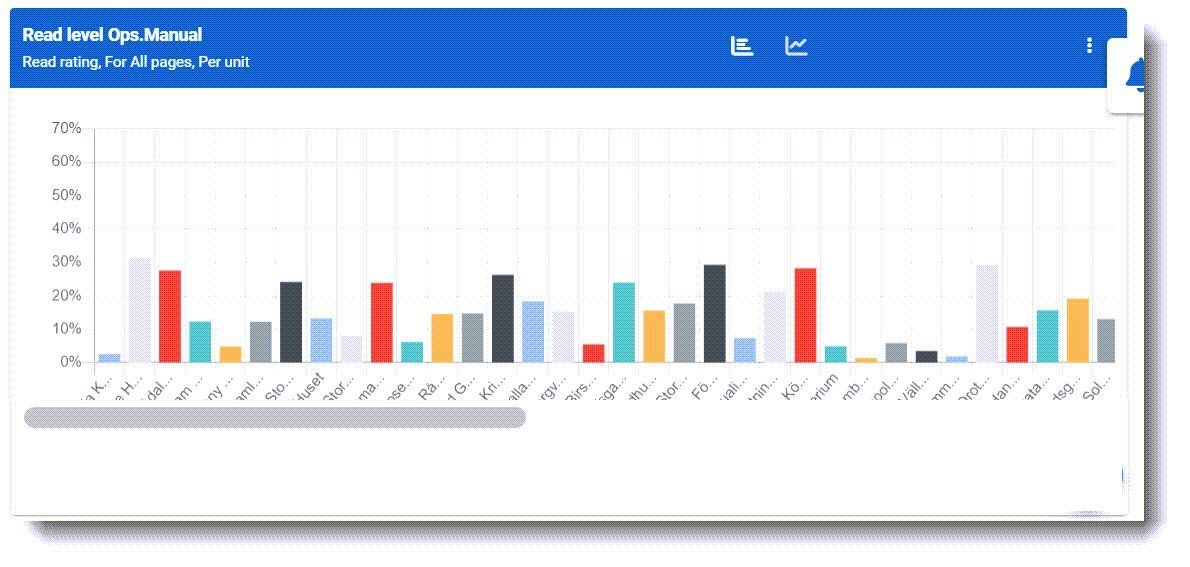
HQ and area managers need a view per location and over time: what is overdue, what is failing and where support is needed.
Want to see continuous compliance in practice? Book a short intro and we will show how routines, read confirmations and deviations come together in one network view.
Evaluation criteria
| Criterion | What to look for | Question to ask |
|---|---|---|
| Frontline usability | Fast mobile completion during a shift | How long does a daily safety routine take on a phone? |
| Evidence | Values, photos, OK / Not OK, signatures per point | Can we require evidence on some points but not others? |
| Read confirmation | Mandatory reads by role and location | How do I see who has not confirmed a critical update? |
| Deviation handling | Owner, deadline, closure with proof | What happens step by step after a Not OK? |
| Audits | Scored audits and store visits with action plans | Can audit findings and daily routines be seen together? |
| Network reporting | Per location, per region, over time | Can I compare locations and see trends? |
| Records | Searchable, exportable history | How do I show an inspector last month's records? |
| Permissions | Role, location, region and franchisee access | Can franchisees see their own results but not others'? |
A practical rollout in four steps
- Map your requirements. List the legal and brand requirements that apply to every location, who owns each one and how often it must be checked. Mark the ones with the highest risk.
- Write short procedures. For each high-risk requirement, write a one-screen procedure with the steps, the limit or standard and what to do if it fails.
- Build routines and pilot. Turn the procedures into daily and weekly routines with the right evidence, and pilot in a few locations, including one that struggles. Shorten anything that slows the team down.
- Roll out and review. Roll out to all locations, send critical procedures as mandatory reads, and start a weekly review of open deviations with area managers. Use audits to confirm what the routines show.
The order matters. Starting with software before you know which requirements and evidence matter usually ends in long checklists that nobody trusts.
The franchise angle
In a franchise network, compliance has an extra layer: the franchisee is an independent business, but the brand and sometimes the legal exposure are shared. Clear, transparent routines help both sides. The franchisor can show that standards are followed across the network, and the franchisee gets proof of good operation and early warning of problems in their own units. Agree which standards are mandatory and how results are shared, and the system becomes support rather than surveillance.
Common mistakes
- Treating compliance as an HQ project. If locations see it as paperwork for head office, they will do the minimum. Show them how it protects their guests, staff and business.
- Checklists that grow forever. Every incident adds a point and nothing is removed. Review routines regularly and remove what no longer matters.
- Evidence everywhere. Photos on every point make routines slow. Use evidence where risk or brand impact is high.
- Separate systems for audits and routines. Then nobody sees the whole picture.
- No consequence for open deviations. If corrective actions stay open for weeks, the system loses credibility.
Metrics to track
| Metric | Definition |
|---|---|
| Routine compliance rate | Compliance routines completed on time ÷ scheduled, per location |
| Evidenced share | Critical points with value, photo or OK / Not OK ÷ total |
| Read confirmation rate | Mandatory updates confirmed within the deadline ÷ recipients |
| Open corrective actions | Number and age of open deviations per location |
| Repeat findings | Same deviation or audit finding repeated within a period |
| Audit score trend | Change in audit results per location over time |
How Chainformation helps
Chainformation supports continuous compliance in one workspace: digital manuals with one current version, mandatory updates with read confirmation, recurring checklists with values, photos and OK / Not OK, audits and store visits, deviations with owners and deadlines, and reporting per location. Franchisees and managers see their own results, and HQ sees the network. Learn more about multi-location compliance, checklists and tasks and role-based permissions, or read how to know if daily routines are actually completed.
Make compliance part of every shift, not just audit day. Book a 15-minute intro and we will walk through one of your compliance routines in the platform.
FAQ
What is multi-location compliance software?
It is software that helps a business with many locations make sure every unit follows legal requirements and internal standards. It typically combines digital standards, mandatory updates with read confirmation, recurring checklists and audits with evidence, deviation handling and reporting across locations.
Is audit software the same as compliance software?
Audit software supports periodic inspections. Compliance software should also support the daily and weekly routines, communication and follow-up that keep locations compliant between audits. Audits measure compliance; routines create it.
What kinds of compliance does it cover?
Usually a mix of legal requirements, such as food safety, fire safety, health and safety, alcohol or age-restricted sales, and internal brand standards, such as visual merchandising, service steps and campaign execution. The same system can carry both, with different evidence and follow-up rules.
How do we prove compliance to authorities or franchisors?
With time-stamped records: who completed which routine, the values and photos recorded, the deviations found and the corrective actions taken, plus read confirmations on critical procedures. Digital records are much easier to search and show than paper binders.
How do we avoid compliance becoming a paperwork burden for locations?
Keep routines short, require evidence only on critical points, link each point to a clear procedure, and give locations their own results so compliance helps them run better. Remove checks that never find anything or have no consequence.
Canonical: /resources/guides/compliance-software-for-multi-location-operations